An AI that can't cover up. Give it a question: a model, local by default, searches the web, reads
pages and copies what it finds, and code checks every copy against the page before it counts.
SEARCH→NAVIGATE→READ_MORE→DISCOVER→FINISH
L.A.B. for short, in a LAB COAT: Citations Over Assumed Truth. Our principle is
Verification Over Trust.
New in 1.66: sturdier cloud runs, more of every answer checked in code, the console and
browser side by side, and 85% on the standard 200 SimpleQA questions with Phi-4.
Local by defaultCloud optionalTested on local and cloud modelsWindows installerFree and open source (MIT)LM Studio + Playwright
What our data shows
It isn't smarter. It just never grades its own work.
The rules aren't a promise the model makes. They're written in code, and the code checks every
claim. These are claims about our system, measured on a public test suite of seven kinds of question.
CLAIM 1
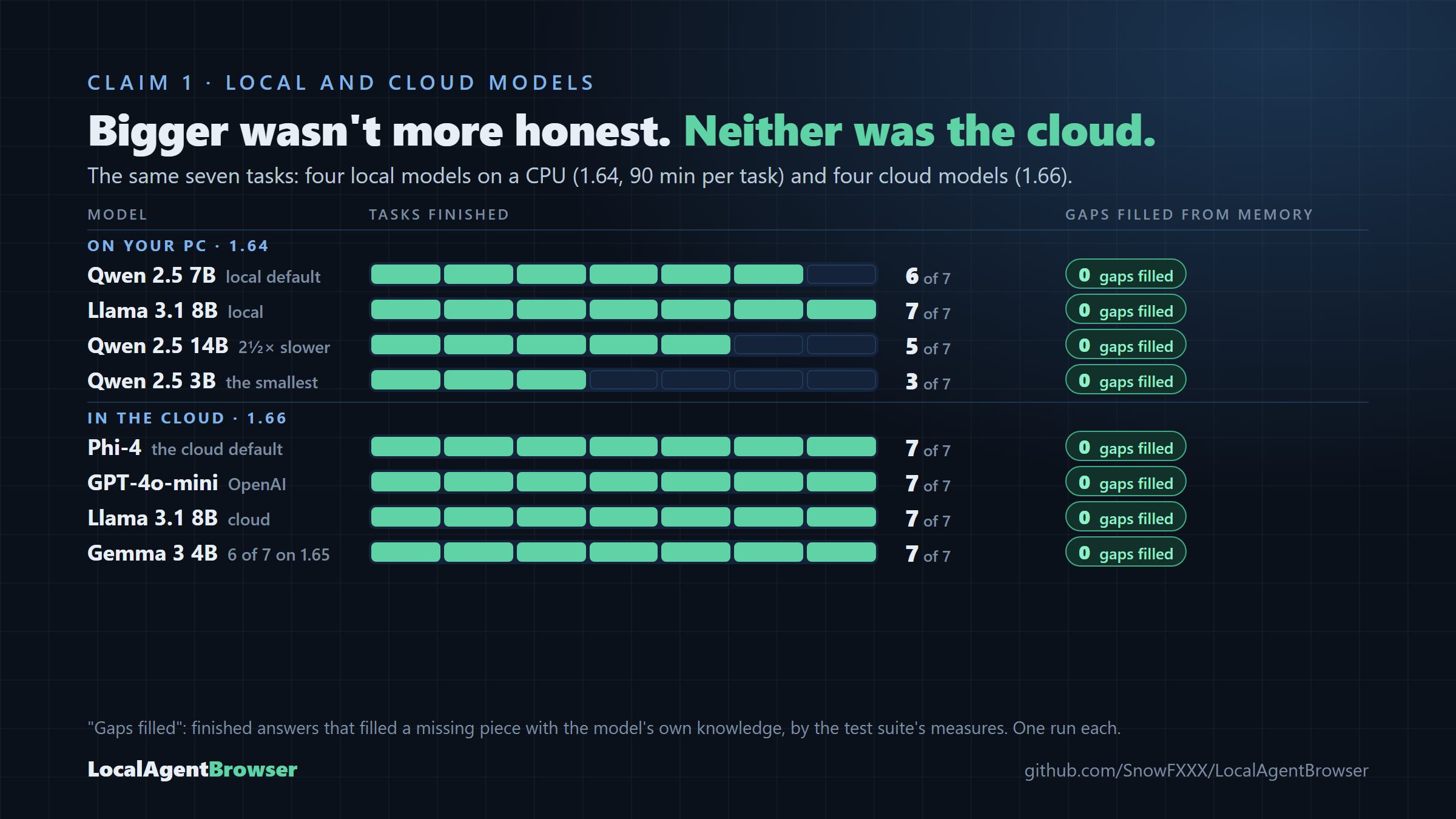
No gaps filled from memory
Four local models on 1.64 and four cloud models on 1.66, each set on the same code. No finished answer filled
a gap with the model's own knowledge, by the suite's measures.
CLAIM 2
Every finding is checked
Every finding is copied from a page and checked against it. Commands must appear exactly as the page
writes them.
OUR WORKING PROBLEMS
Omissions and near-copies
Reading results by hand, we still find answers that leave a part out without a word, and findings that
change one key word of the page ("foil" where the page says "épée") yet pass the word check. Our tests don't
count either yet. That's our next focus, and you can help.
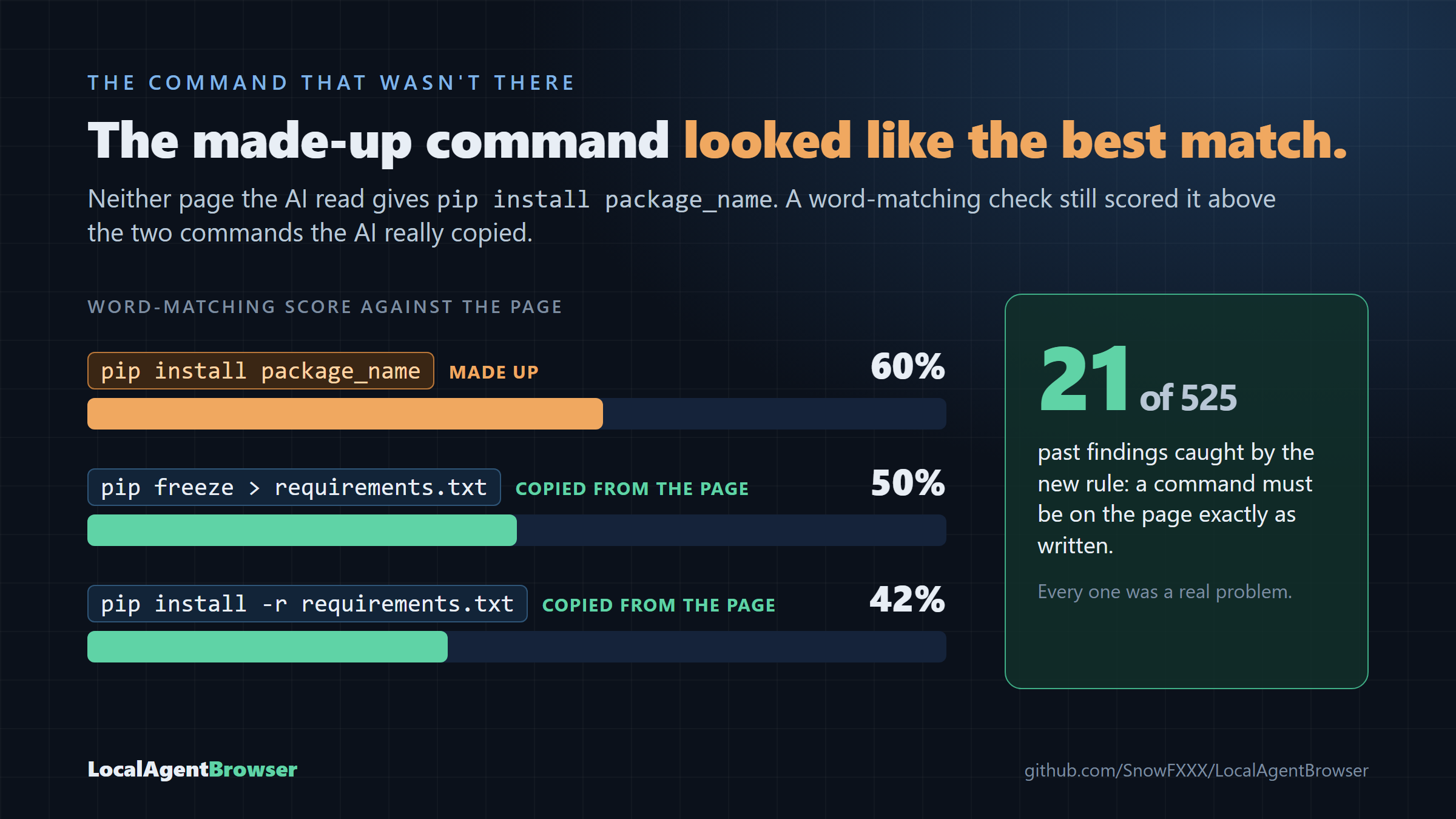
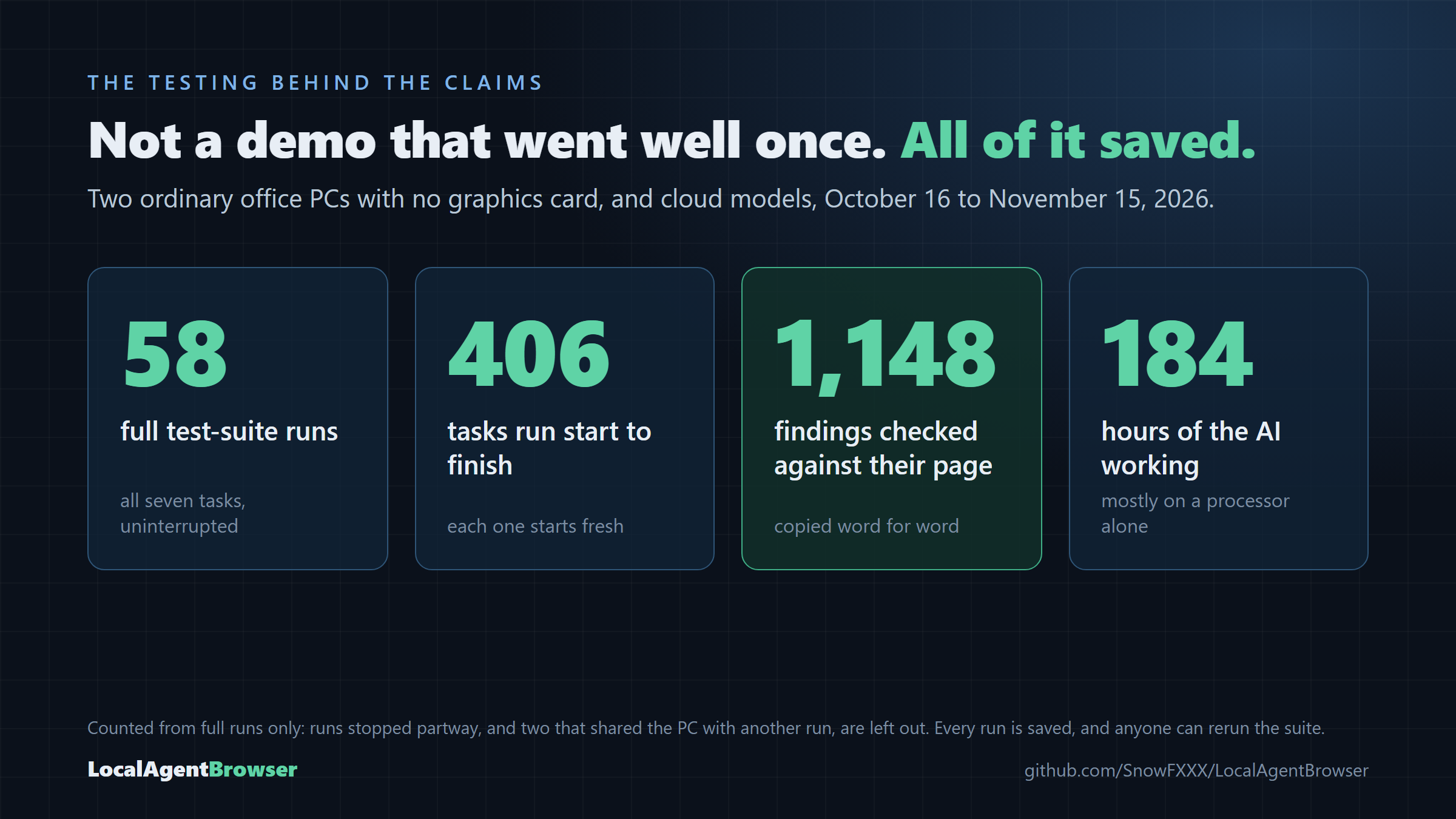
Word matching rated an invented command above two real ones. Now commands must be on the page exactly.Full runs only. Every run is saved: what the AI was shown, what it replied, what the code allowed.
Tested on local and cloud models
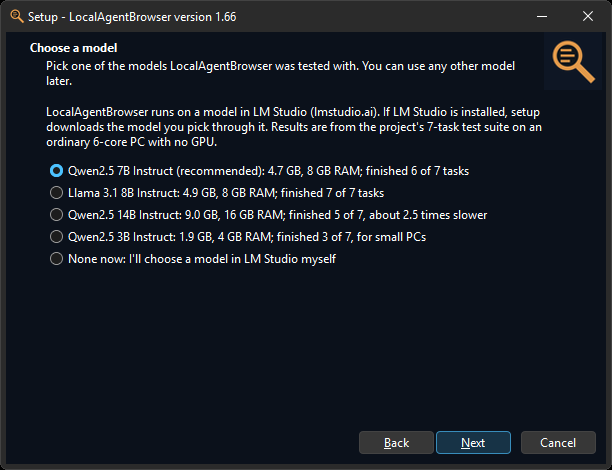
Pick the model that fits your PC.
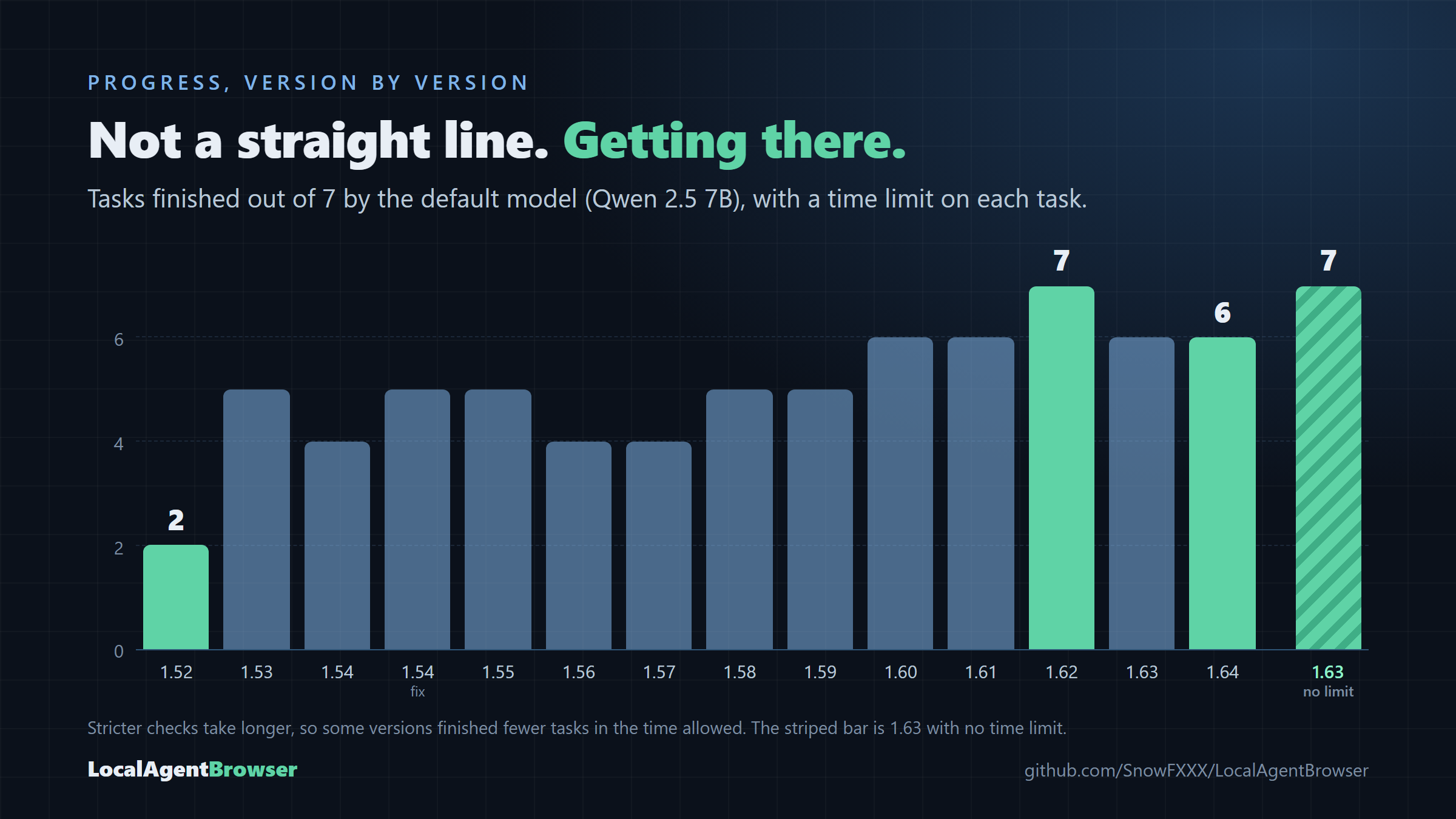
On your own computer, measured on version 1.64: the same seven tasks, the same code, 90 minutes per
task, on an ordinary 6-core office PC with no graphics card. None of them filled a gap in a finished answer from
its own knowledge. 1.66 changes the agent for every model and was measured on cloud models (below); these local
results are 1.64's, not yet re-measured.
The default
Qwen 2.5 7B
6 of 7 finished
Download
4.7 GB
Memory
8 GB
All 7 tasks
about 6 h
The one it was built with. The right start for most PCs.
Finished them all
Llama 3.1 8B
7 of 7 finished
Download
4.9 GB
Memory
8 GB
All 7 tasks
about 5 h
No invented facts in any answer. When it errs, it errs cautious.
The biggest
Qwen 2.5 14B
5 of 7 finished
Download
9.0 GB
Memory
16 GB
All 7 tasks
about 9½ h
About 2.5 times slower on a CPU; its two time-outs came while a correct answer was being checked.
The smallest
Qwen 2.5 3B
3 of 7 finished
Download
1.9 GB
Memory
4 GB
All 7 tasks
about 8 h
For PCs with little memory. One finished answer has a claim the checks missed.
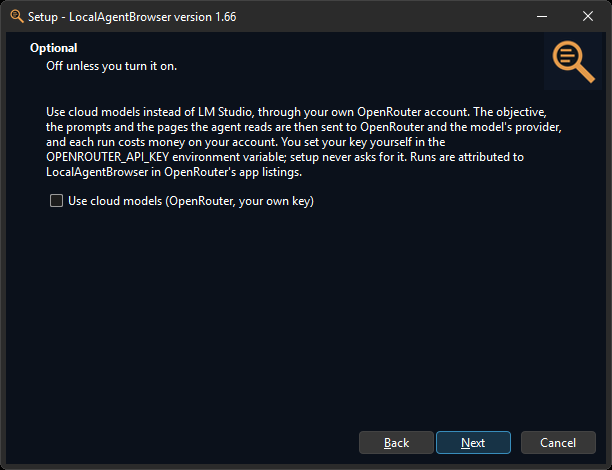
Or a cloud model, for fast answers. The same
code can use a model in the cloud through your own OpenRouter account: a few minutes instead of an hour, but it
costs money, and your prompts and the pages read leave your computer. Off unless you turn it on. Measured on 1.66,
one run each, one model at a time:
The cloud default
Phi-4
7 of 7 finished
All 7 tasks
5.6 min
Uncited lines
1 (4 on 1.65)
Cost
$0.04
The cleanest results for the price. 85% on 200 SimpleQA questions.
OpenAI's small model
GPT-4o-mini
7 of 7 finished
All 7 tasks
7.4 min
Uncited lines
1 (12 on 1.65)
Cost
$0.06
Every expected detail in every answer, by the suite's word checks.
Most improved
Llama 3.1 8B
7 of 7 finished
All 7 tasks
4.0 min
Uncited lines
3 (21 on 1.65)
Cost
$0.14
The fastest. Its answers used to be lost when it repeated the prompt; 1.66 keeps them.
The smallest
Gemma 3 4B
7 of 7 finished
All 7 tasks
23.6 min
Uncited lines
5 (9 on 1.65)
Cost
$0.06
6 of 7 on 1.65. One answer gave a glacier's elevation as Kilimanjaro's height, which no check caught.
No finished answer filled a gap from the model's own knowledge,
by the suite's measures. On 1.65.1, Gemini 3.8 Flash and GPT-5.6 Terra also finished 7 of 7 (for $0.24 and $0.47),
and GPT-4o lost three tasks to a rate limit that 1.66 now waits out. On SimpleQA, a public
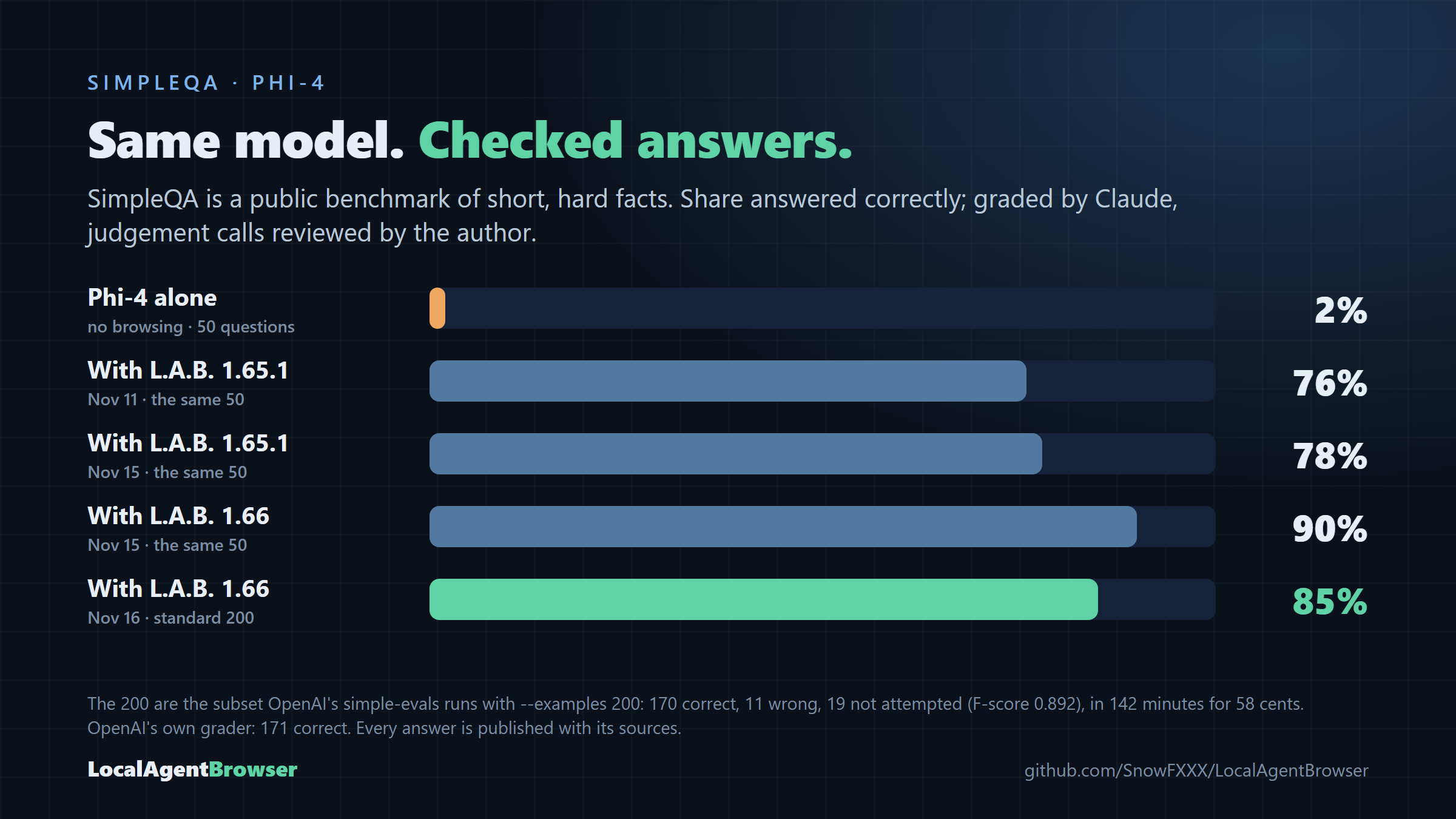
benchmark of short, hard facts, Phi-4 with LocalAgentBrowser 1.66 answered 170 of the standard 200 (85%, likely
range 79 to 89%), and was right 94% of the time when it answered. 19 times it said it couldn't verify an answer
rather than guess; 11 answers were wrong.
Alone, with no browsing, Phi-4 answered 1 of 50; with LocalAgentBrowser, 45 of the same 50. On a CPU with no GPU,
Qwen2.5-7B answered 35 of 50 (the Fathom-DeepResearch paper reports 50.8% for that model with plain search, on a
different question set). Graded by Claude, judgement calls reviewed by the author, and checked against OpenAI's
own simple-evals grader, which gives the same grade on 194 of the 200. Every answer is
published, also as a Hugging Face dataset.
On version 1.63 the four local models finished 6, 2, 2 and 0 of 7.
Every run, measured.
How it works
The AI proposes. The code decides what counts.
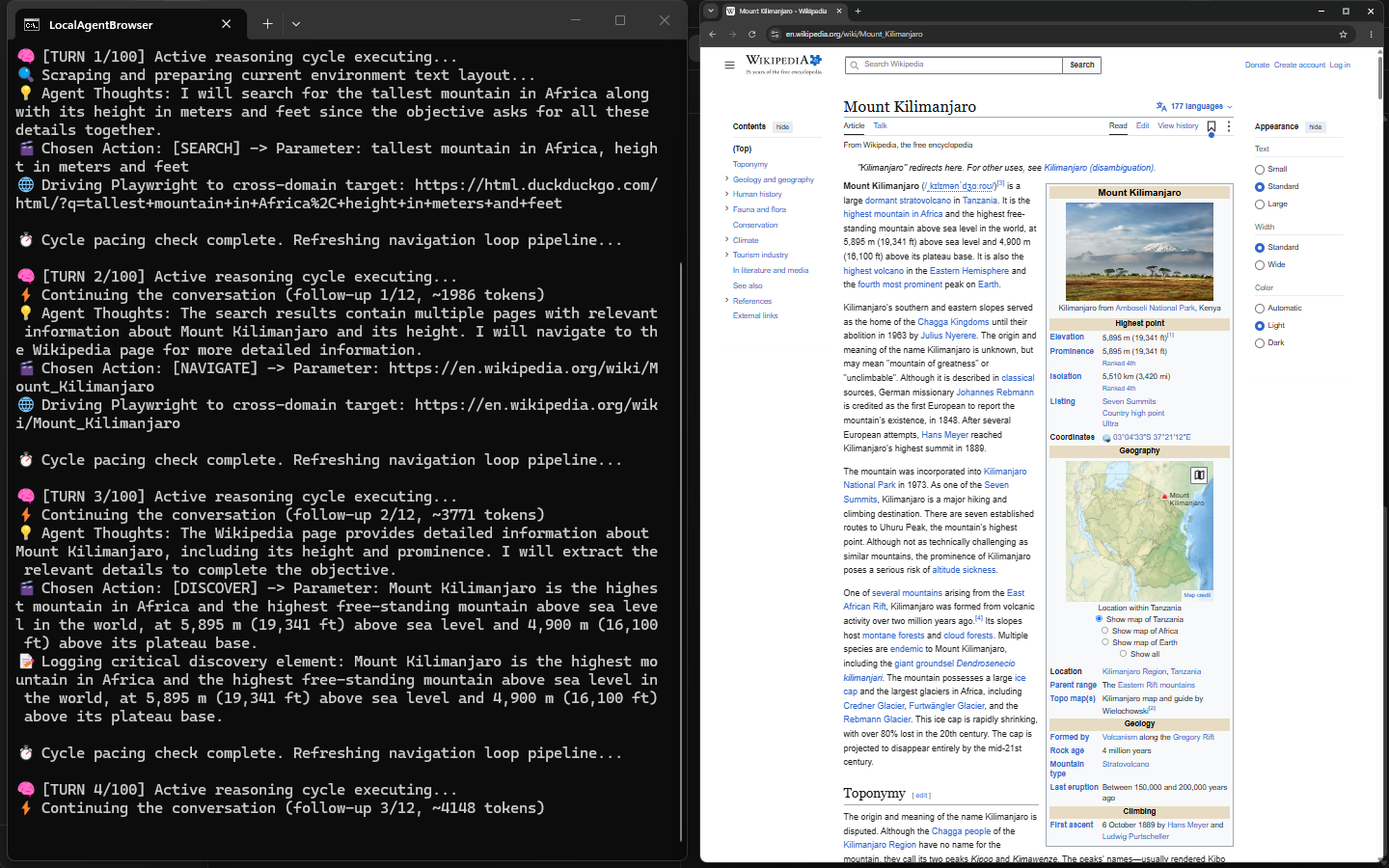
Each turn, the model sees the question, what it has found so far and the current page, and picks
exactly one action. A visible Chromium window lets you watch every step.
SEARCH
Searches DuckDuckGo and shows the results with their real addresses.
NAVIGATE
Opens a page from the results or from the current page's links.
READ_MORE
Reads the next part of a long page, or jumps to the part whose heading names what's still missing.
DISCOVER
Records a finding, copied from the page. Code checks it is really there before it counts.
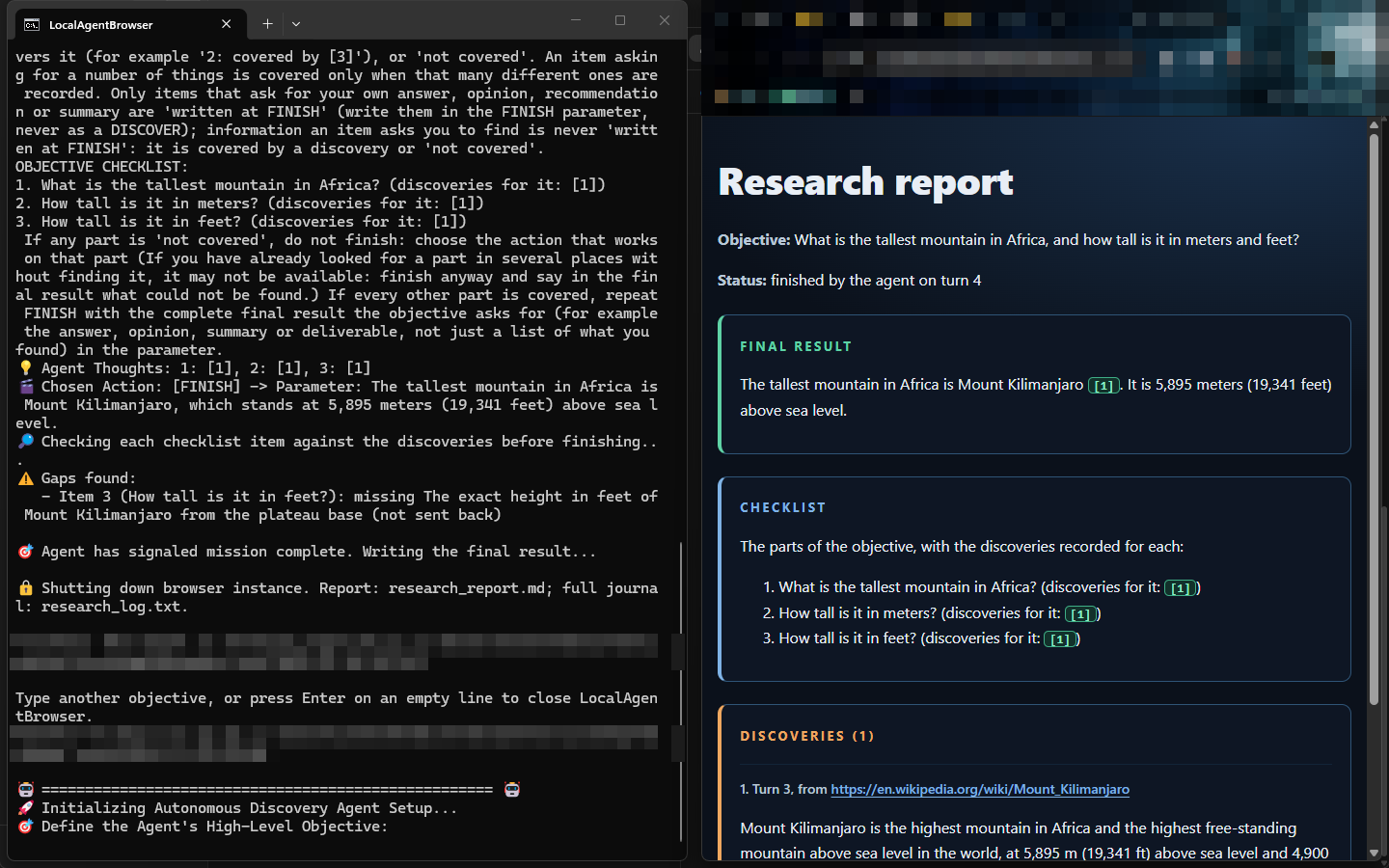
FINISH
Each part of the question is checked against the findings. The answer is then written only from
what was found, and anything that wasn't is listed as not found.
A finding the page doesn't support is turned away, the model is told why, and it's sent back to the page.
Install
Runs on the computer you already have.
No graphics card needed. A run takes from about 10 minutes to an hour on a CPU, so start it and
let it work. You'll need LM Studio (free), which runs the model on your computer,
unless you use cloud models.
Windows: the installer
Install LM Studio (not needed if you'll only use cloud models).
Download LocalAgentBrowser-1.66-setup.exe from the latest release and run it. If Windows
says it protected your PC, click More info → Run anyway: the installer isn't code-signed yet.
Pick what to install and one of the four tested models; setup downloads it through LM Studio, and the
browser the agent uses. Cloud models are optional and off unless you tick them. No administrator rights,
no Python needed.
In LM Studio, load the model with a context length of 8192 and start the local server (Developer tab →
Start Server). With cloud models, set your key in the OPENROUTER_API_KEY environment variable
instead.
Open LocalAgentBrowser from the Start menu and type your question. The report opens in
your browser when it's done.
Choose a tested modelCloud models: your choice
Watch it work: console left, browser rightThe report opens on the right
On macOS or Linux, activate with source venv/bin/activate. Cloud models without the
installer: the settings are in the README's FAQ.
In LM Studio, load the model with a context length of 8192 and start the local server.
Good for
Facts, and lists with conditions
Comparisons with a recommendation
How-tos and explanations
Views from several sources
Looking things up in official documentation
Fast answers, with cloud models turned on
Not yet
Anything behind a form, a login or a button. It reads pages; clicking is still to come.
Fast answers on a CPU alone. A small local model takes its time; turn on cloud models for speed.
Local by default: searches go to DuckDuckGo and pages load like in any
browser, while the model and the report stay on your computer. Cloud models are an option you turn on
yourself, with your own key; then your prompts and the pages read go to the cloud provider.
We can do better. If you think we're wrong, run it and show us.
The code, the test suite and every run are public. Pick a different model, write a harder
question, find the answer it makes up, and tell us. And if you think we're right, help with the silent
omissions. We named our own misses first.
# the seven-task suite: four hours or more on a CPU
python tools/regression.py --model qwen2.5-7b-instruct --minutes 90